Home network wiring creates planned cable connections between rooms, access points, and a central equipment location. It can help where stationary devices need dependable wired connections or wireless coverage is limited by the building. It does not, by itself, increase the speed of your internet service or correct every Wi-Fi problem.
Before planning new cable, identify the actual issue. A weak signal in an upstairs office, slow transfers to local storage, and an unreliable internet connection can have different causes. The useful scope follows the problem and the intended devices, not a blanket rule to put several Ethernet outlets in every room.
Separate the internet connection from the home network
Your provider’s connection brings service to the property. The home network distributes access among your devices. A router manages network traffic, a switch adds wired connections, and a wireless access point provides Wi-Fi coverage. One consumer device may combine several of these roles.
A cable to a desktop computer removes that connection’s dependence on its Wi-Fi link. It does not make a slow provider connection faster than the service can deliver. Likewise, a new access point needs a suitable location and configuration; mounting it beside the existing router may not solve a distant coverage problem.
Describe where and when the problem occurs, which devices are affected, and whether a direct wired connection behaves differently. Share that information with the network provider or specialist before defining construction work.
Build a connection plan around the household
Start with fixed devices and useful access-point locations. A home office may need wired connections for a workstation, dock, printer, or conferencing equipment. A media area may need connections for a television, streaming device, game console, or receiver. Cameras and door equipment may need their own routes.
For each location, record the device, intended connection, and likely future change. A spare pathway to a difficult location can be more useful than extra outlets behind furniture that will never use them.
| Location | Questions to answer before cabling |
|---|---|
| Home office | Which devices need a cable, and where will the desk actually sit? |
| Wireless access point | What coverage is needed, and can the device receive power over the planned cable? |
| Media wall | Where do the equipment and display connections belong after furniture is installed? |
| Exterior camera | What cable rating, weather protection, and power method does the camera require? |
| Central equipment area | Is there space, ventilation, power, and access for the complete system? |
If the project includes cameras, coordinate it with the camera wiring plan. A cable installed without the device requirements may not support the selected equipment.
Cat 6 and Cat 6A are system choices
Category 6 and Category 6A describe cabling performance categories. The installed result depends on cable, connectors, terminations, length, and workmanship together. The label on the cable jacket alone is not a completed-system test.
Leviton’s residential networking guidance describes Cat 6 for common gigabit and multigigabit home applications and Cat 6A for 10-gigabit applications. The appropriate choice depends on the planned devices and network, rather than a promise that every household needs the highest category.
Ask about the physical consequences as well. Cable size, bend radius, pathway capacity, and termination space affect installation. If shielding is proposed, the complete design needs the appropriate components and bonding approach. Shielded cable should not be added simply because its name sounds more capable.
For a detached office or ADU, the connection between buildings deserves its own assessment. Distance, outside exposure, electrical conditions, and pathway design may make fiber or another arrangement worth evaluating with the network specialist.
Wired access points can support Wi-Fi
A wired connection to an access point provides a path back to the network without using the same wireless link for that connection. Whether it improves your result depends on the existing system, building, placement, and configuration.
Ceiling or wall locations should be selected for coverage and the manufacturer’s mounting requirements. Keep access points serviceable. A visually discreet location inside a metal cabinet can work against the wireless function you are trying to provide.
Power over Ethernet, or PoE, lets compatible equipment receive power and data through Ethernet cabling. The switch or injector must provide the standard and power the device requires. A network port is not automatically a PoE port, and different PoE devices have different requirements.
Discuss these choices before cable termination. The electrical installer and the network provider should agree on where each responsibility begins and ends.
Make the central location maintainable
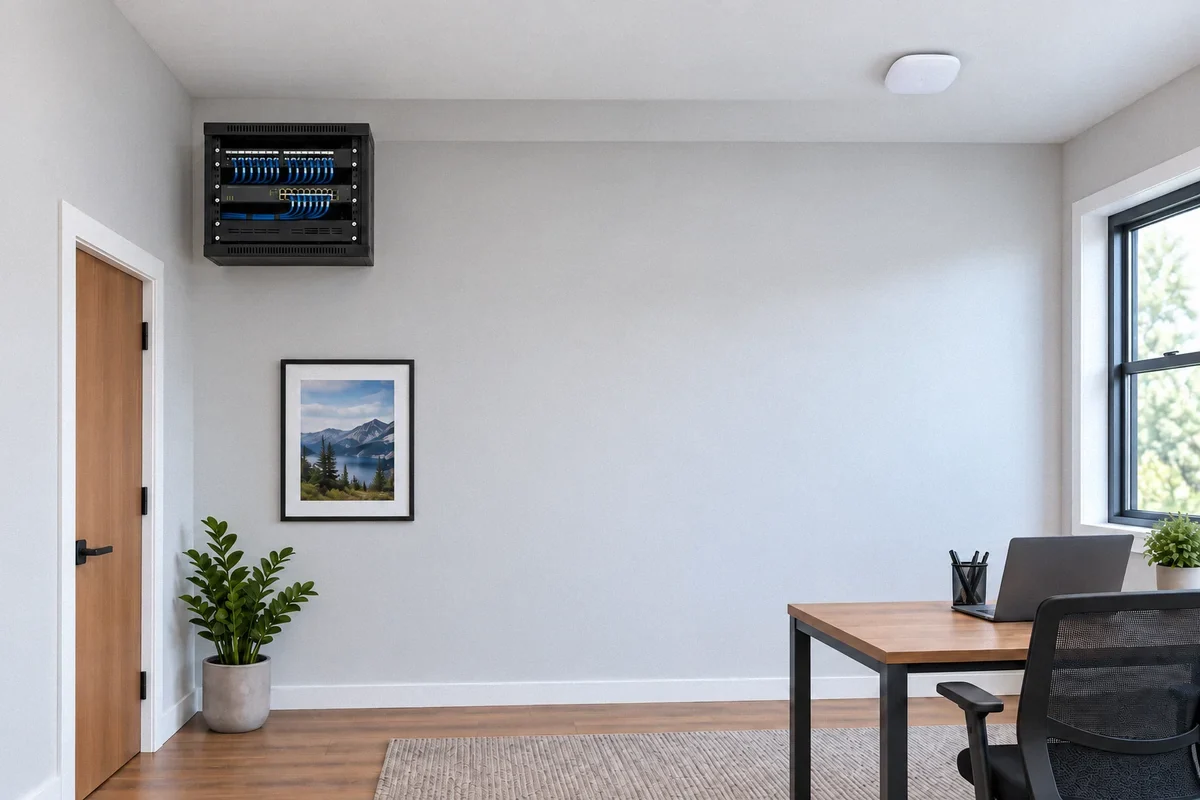
A structured media enclosure or small rack can organize cable ends and equipment. It needs room for the actual modem, router, switch, power supplies, patch cords, and any recording or backup equipment in the plan.
Leviton’s structured media enclosure information provides examples of residential organization options. Select dimensions and ventilation for the intended equipment instead of assuming that every device will fit behind a closed door.
Keep the equipment accessible for restarting, replacing, and connecting devices. Identify whether a new receptacle is needed and whether backup power is part of the project. An uninterruptible power supply can support selected network equipment, but its runtime depends on the connected load and the chosen unit.
Agree on testing and documentation
“Test the cable” can mean different things. Basic verification checks connection details such as continuity and wire mapping. Qualification assesses support for an intended application. Certification measures the installed cabling against a defined standard. Fluke Networks explains these distinctions in its testing guidance.
Ask the proposal to identify the intended test and what report you will receive. A successful internet speed test is not a substitute for every form of cabling test, and a cable test does not establish that the router and wireless network are correctly configured.
Label both ends of each run and provide a simple location schedule. Keep the cable category, test records, and any photographs of concealed routes with the project documents. These details are especially useful when a different provider later maintains the network.
Define the installation and network handoff
The scope should distinguish cable routes, openings, termination, labeling, and agreed testing from router setup, Wi-Fi tuning, account management, storage configuration, and continuing support. Restoration of walls and ceilings should also be explicit.
If a remodel already exposes the route, coordinate cabling with the home wiring work before surfaces close. For broader connected-home equipment, review the smart-home installation scope.
Fox Electric’s data and low-voltage service can assess the infrastructure work. Send a floor plan and device list along with the network problem or future use you want the cabling to address.