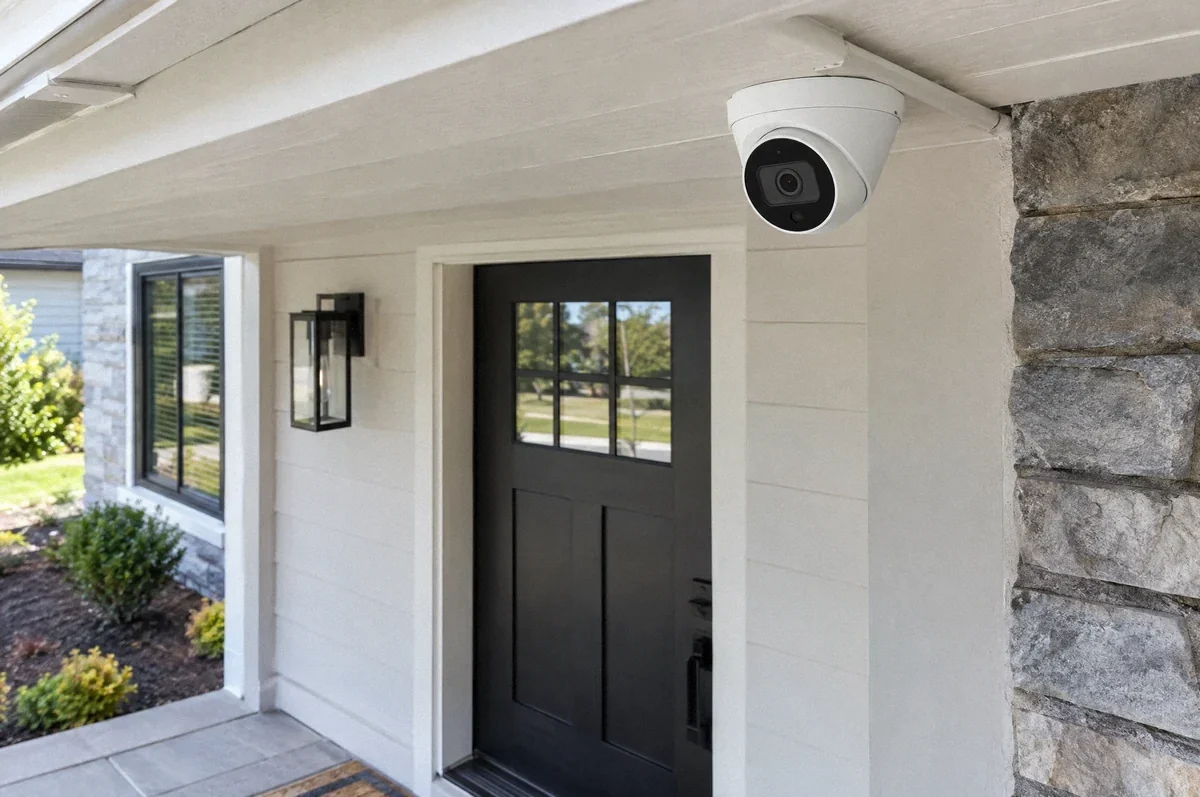
A security camera needs more than a convenient mounting point. The installation has to provide the intended view, suitable power, a reliable connection, and a defined way to record or view footage. These decisions should be made together before holes are drilled in the exterior.
For a Bay Area home or small commercial property, the best wiring plan depends on the selected camera system and building. A camera using Wi-Fi still needs power. A camera using an Ethernet cable may need a specific form of Power over Ethernet. A doorbell camera may have another set of requirements entirely.
Start with what you need to see
List the areas you want to cover: the front approach, package location, driveway entrance, side gate, or a business entry. Then identify the useful detail in each view. A wide overview and a clear view of a person approaching a door may call for different positions or lenses.
Consider the scene at night as well as during the day. Bright sky behind an entry, vehicle headlights, reflective surfaces, and a nearby wall can affect the usable image. Mounting a camera higher does not automatically provide better identification of a face below it.
Aim the system at the property areas you intend to monitor and consider neighboring windows and private spaces. Decide whether audio recording is needed and have any applicable privacy or workplace requirements reviewed before enabling it. The electrical scope should not silently make those policy decisions for an owner or property manager.
Separate power from the data connection
“Wireless” usually describes a communication method. It does not necessarily mean the camera runs on a battery or can be mounted anywhere without electrical work.
| Camera arrangement | What the installation needs to establish |
|---|---|
| Battery camera using Wi-Fi | Coverage, charging access, and the functions available on battery power |
| Plug-in camera using Wi-Fi | An appropriate power source and a protected, supported cable arrangement |
| PoE camera | Compatible Ethernet cabling and a switch or injector providing the required PoE supply |
| Floodlight camera | The exact supply, mounting, and control requirements of the complete fixture |
| Doorbell camera | Compatibility with the existing or proposed power source and chime arrangement |
Google’s Nest camera power guidance illustrates why even cameras in one product family have specific supply requirements. Do not select an adapter or cable only because its connector appears to fit.
For door equipment or access readers, coordinate with the security and access-control service. Camera wiring and door activation can involve different equipment and providers.
PoE needs a power budget
Power over Ethernet, or PoE, supplies compatible equipment with power and data over Ethernet cabling. The supplying network switch or injector must support the camera’s requirements. The total capacity available across all ports also matters when several cameras or other devices share a switch.
Use the camera’s applicable maximum requirements when designing the supply. Heaters, infrared illumination, and other features can change consumption. Axis’s camera power white paper distinguishes typical use from maximum requirements and notes that cable losses must be included in the supply assessment.
A camera working in mild daylight conditions does not establish that the complete system has enough power for all supported operating conditions. Confirm the device specifications, cable route, and supply together.
If new Ethernet runs are needed, use the home network wiring guide to plan termination, equipment space, and testing. For a business, the same questions should be coordinated with its IT provider.
Protect the route and exterior connections
The cable needs a route suited to the building and its exposure. An attic route, exterior conduit, and a connection to a detached structure are different scopes. Exterior cable entries and connections must follow the equipment instructions and the selected wiring method.
Keep the camera and connection points serviceable. A concealed-looking installation can still be difficult to maintain if a future replacement requires opening a finished wall or disturbing roofing. Decide where junctions, adapters, and power supplies will be located before installation.
Weather resistance is also model-specific. A camera intended for a sheltered location should not be assumed suitable for direct rain or irrigation. Coastal exposure may require attention to corrosion resistance beyond ordinary weather protection.
If lighting is needed to support the scene, coordinate it with the outdoor lighting plan. Excessive glare or badly aimed illumination can make the view worse instead of better.
Define recording before choosing the hardware
Live viewing, event clips, and continuous recording are different functions. Decide which you need, how long footage should be retained, and who should be able to view or export it.
A network video recorder, often called an NVR, stores footage from supported network cameras. A cloud-based service stores or processes information through the provider. Some systems use local storage inside the camera. Compatibility, capacity, subscription requirements, and remote access depend on the chosen system.
Do not assume local recording eliminates every subscription or internet dependency. Likewise, do not assume a connected camera keeps recording during an internet interruption. Ask the system provider to confirm the exact offline behavior of recording, alerts, live viewing, and playback.
An ordinary electrical outage can affect the camera, network switch, router, and recorder. If backup operation matters, all required parts need to be considered. A battery in one component does not keep the whole system working.
Put account ownership and setup in the scope
The property owner should know who controls the accounts, device credentials, and recovery information. For a business or rental property, define which authorized people can access recordings and who removes access when a role changes.
The installation scope should identify who mounts and powers devices, routes and tests cable, configures the network, sets recording rules, and demonstrates the app. These responsibilities may be divided between the electrician, an IT provider, and a security-system specialist.
Avoid a proposal that says only “install cameras” without naming the included setup. A mounted camera with power is not necessarily a commissioned recording system. Our data and low-voltage service describes the infrastructure work that can be agreed for a project.
Review the installed views and functions
At handoff, review the intended areas in daylight and after dark where that testing is included. Confirm time settings, recording mode, playback, access permissions, and any outage behavior promised in the scope.
Keep a device list, route record, and test documentation. Identify who will manage software updates, storage maintenance, and future troubleshooting. If the cameras are part of a broader commercial electrical project, coordinate this handoff with the property manager and technology provider.
Contact Fox Electric with the camera models, a rough site plan, and the areas you want covered. That gives the assessment a concrete starting point for power, cabling, and the required coordination.